

The buyers (Corporate and Non-Corporate) make payment (such as Salary, Rent, interest on securities, Dividends, Insurance Commission, Professional Fees, Commission on Brokerage, Commission on Lottery Tickets, etc) to the sellers (Services) and deduct the requisite amount form such payments towards tax.
The buyer files the TDS returns containing details of the seller and the bank, where the TDS amount is deposited to the Income Tax Department (TDS).
In this post you will learn about to "how to record tds transaction in tally prime step by step guide.
TDS In TallyPrime
Tally calculates the tax of all parties/suppliers where TDS deduction is mandatory. It calculates the TDS automatically and prints Form16A certificates, Forms 26Q, 26, 27 and 27A (Cover Note) for Quarterly / Annual Returns as per statutory requirementIt allows the user to view and print various TDS reports, Challans and TDS Outstanding statements.
Step 1 Create Company

Step 2 Enable TDS In Tally Prime By Press F11 Key
After Create Company You Have To Enable TDS Feature In Tally Prime For Record TDS Transactions. Press F11 Key For Enable TDS In Tally Prime. As You Tap Yes Then You Have To Fill TDS Details.
Step 3 Record TDS Details And Responsible Personal Name
As You Press Yes - On Enable Tax Deducted At Source (TDS), Here Fill These Details Like This
Note : Set / Alter Details Of Person Responsible

Fill Details Like This

TDS Ledgers And Nature Of Payment
|
Nature Of
Payment |
Expenses |
Section |
Threshold Limit |
Rate Of Tax |
|
Fee
For Professional Service |
Audit
Fee |
194K |
30,000 |
7.5% |
|
Monthly
Salary |
Salary |
192L |
600000
Year |
10% |
Step 4.1 Nature Of Payment Creation Fee For Professional Services
Gateway Of Tally >> Create >> TDS Nature Of Payment >> Create
Step 4.2 Press F12 For Configuration
Press F12 For Configuration Setup

Step 4.3 Nature Of Payment Creation Monthly Salary
Gateway Of Tally >> Create >> TDS Nature Of Payment >> Create
Step 5.1 Ledger Creation Audit Fee
Gateway Of Tally >> Create >> LedgerNow We Have Required Ledgers For TDS Record Create

Step 5.2 Ledger Creation Create Salary A/c
Gateway Of Tally >> Create >> Ledger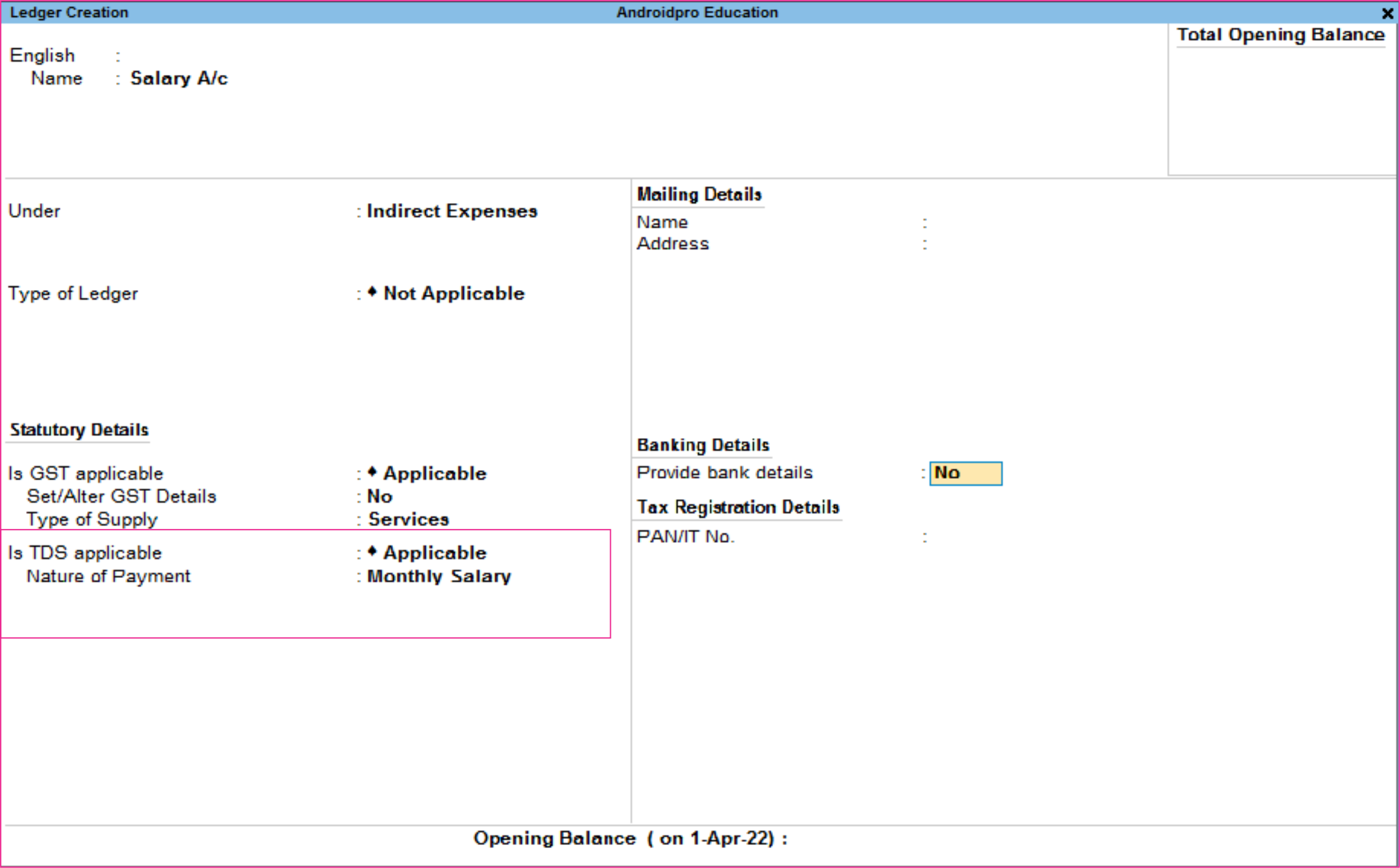
Step 5.3 Ledger Creation Create TDS On Audit Fee
Gateway Of Tally >> Create >> Ledger
Step 5.4 Ledger Creation Create TDS On Salary
Gateway Of Tally >> Create >> Ledger
Step 5.5 Sundry Creditor Ledger Creation TATA PVT LTD
Gateway Of Tally >> Create >> Ledger >> Create
Step 5.6 Sundry Creditor Ledger Creation Ankit Mishra
Gateway Of Tally >> Create >> Ledger >> Create
Step 6.1 Pass Journal Voucher

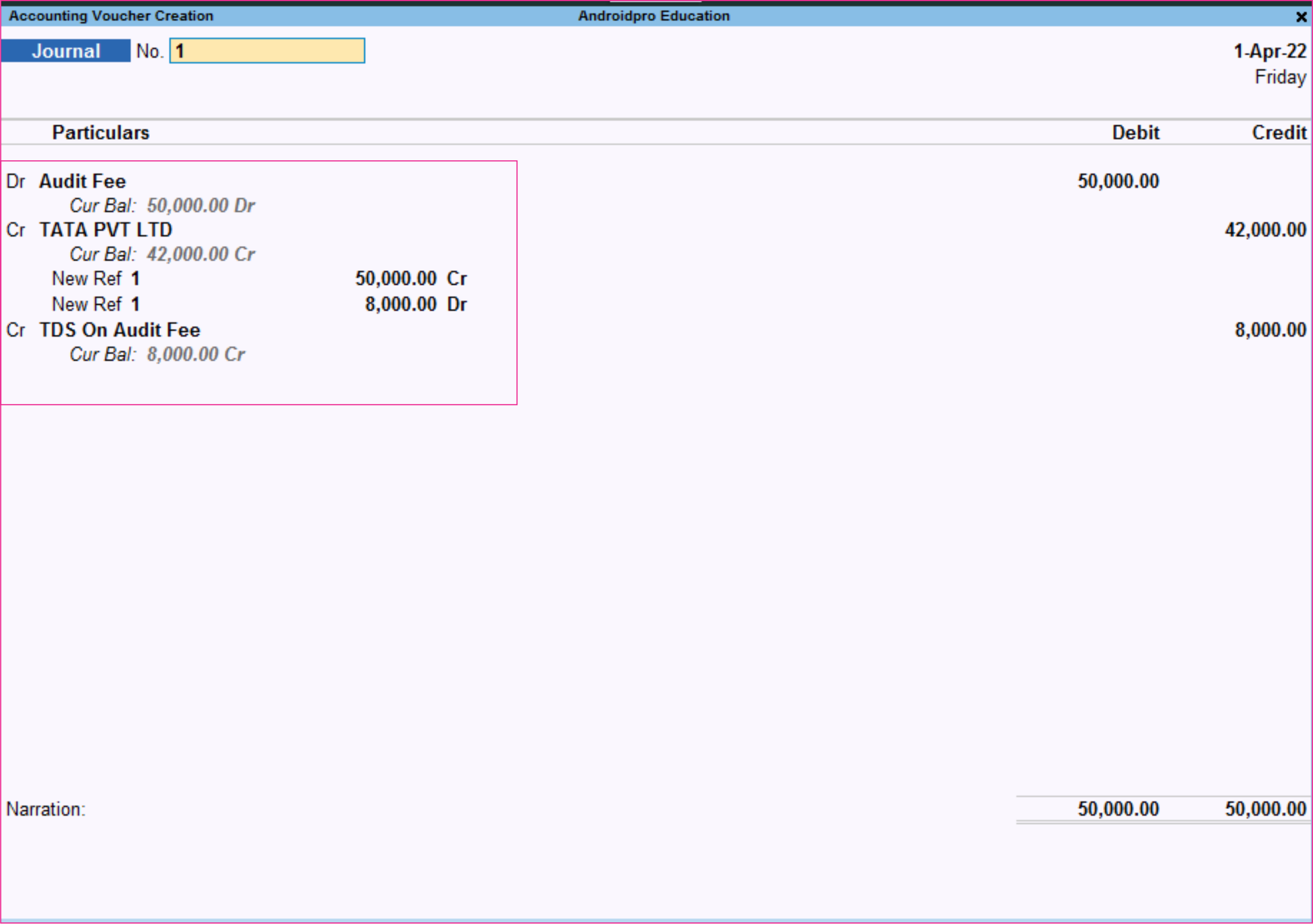
Step 6.2 Pass Journal Voucher
Gateway Of Tally >> Vouchers >> Journal Voucher
7 Go to Balance Sheet
Gateway Of Tally >> Balance Sheet >> Current LiabilityClick On Current Liabilities

Press Alt + F1 For Details View
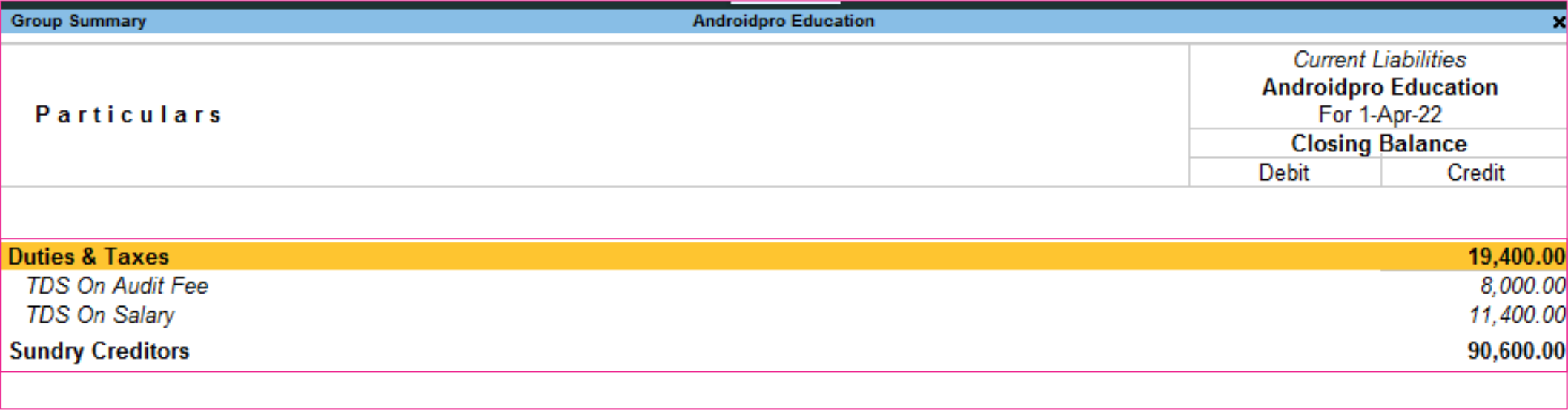
Step 8.1 Pass Payment Voucher
Gateway Of Tally >> Vouchers >> Payment Voucher
Set Adjustment
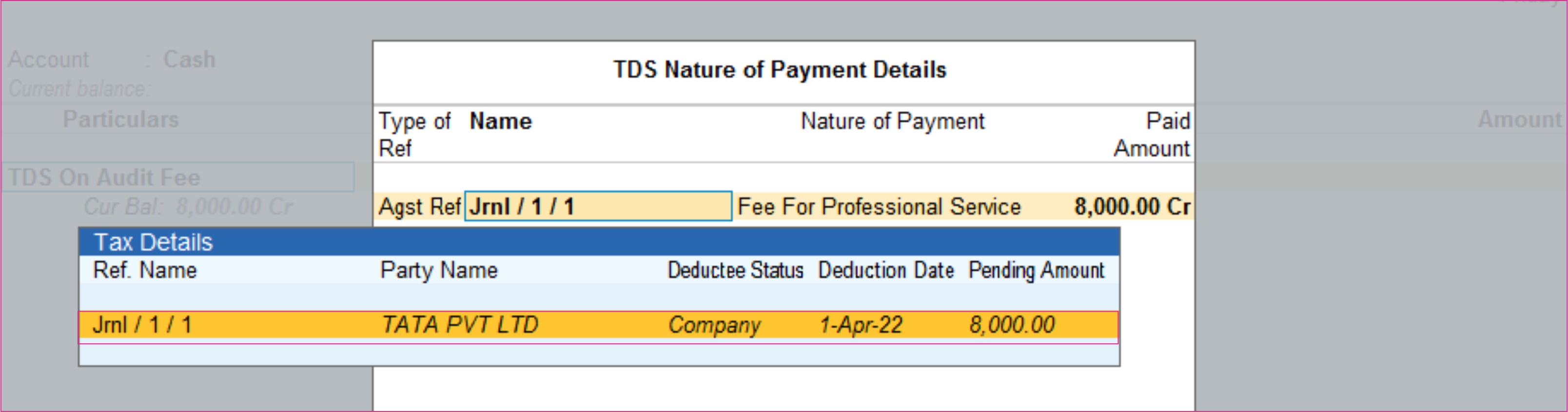
Step 8.2 Pass Payment Vouchers
Gateway Of Tally >> Vouchers >> Payment Voucher
Set Adjustment

Step 9 Go to Balance Sheet
Gateway Of Tally >> Balance Sheet >> Current Liability Click On Current Liabilities
