

Step 1: Press ALT + K on Gateway of Tally screen

Step 2: Click on Alter
As You Press Alt + K Then You Will See new window, here You Need To Choose Alter Option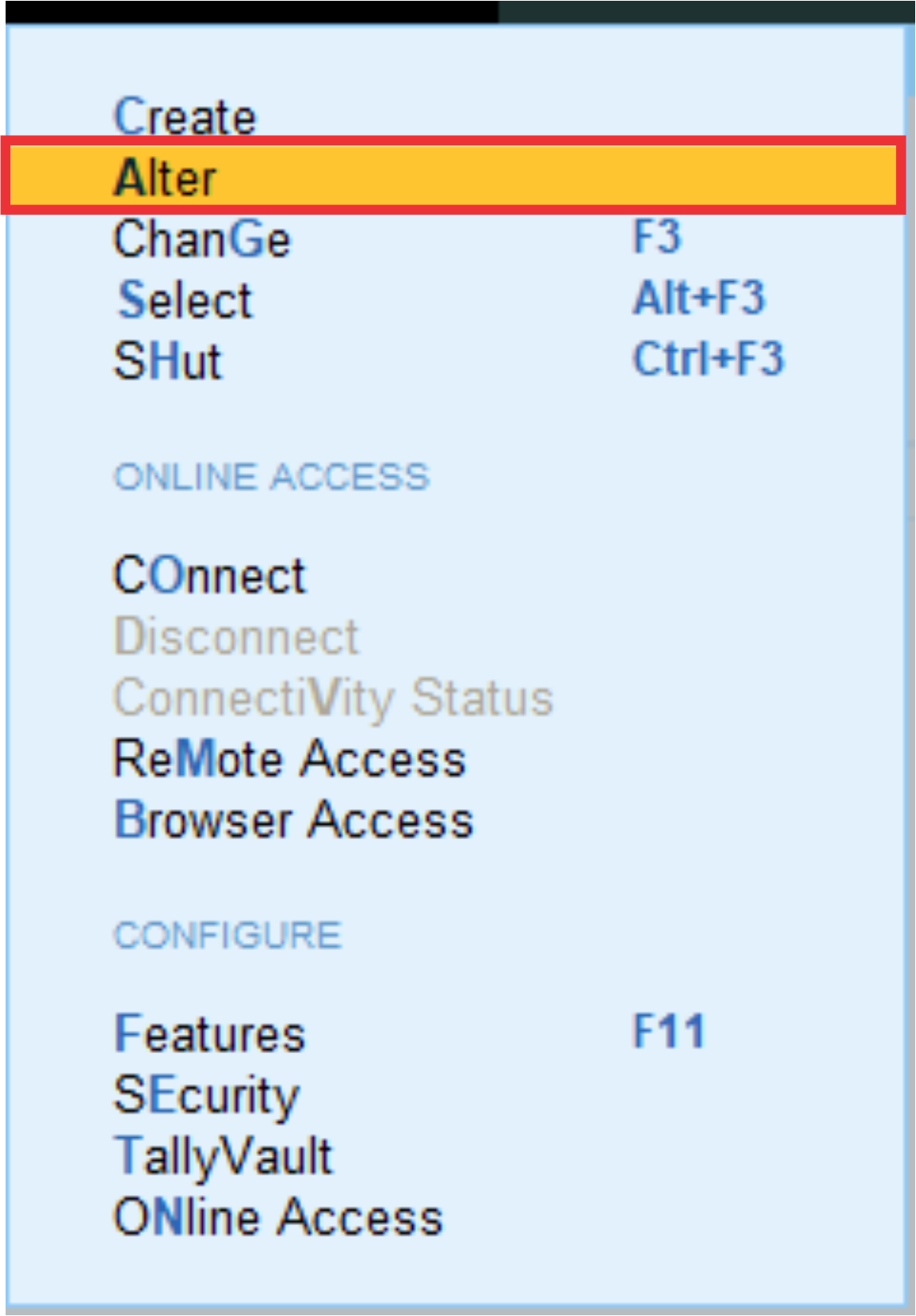
After This choose your Company, it will show you if open more then one company.
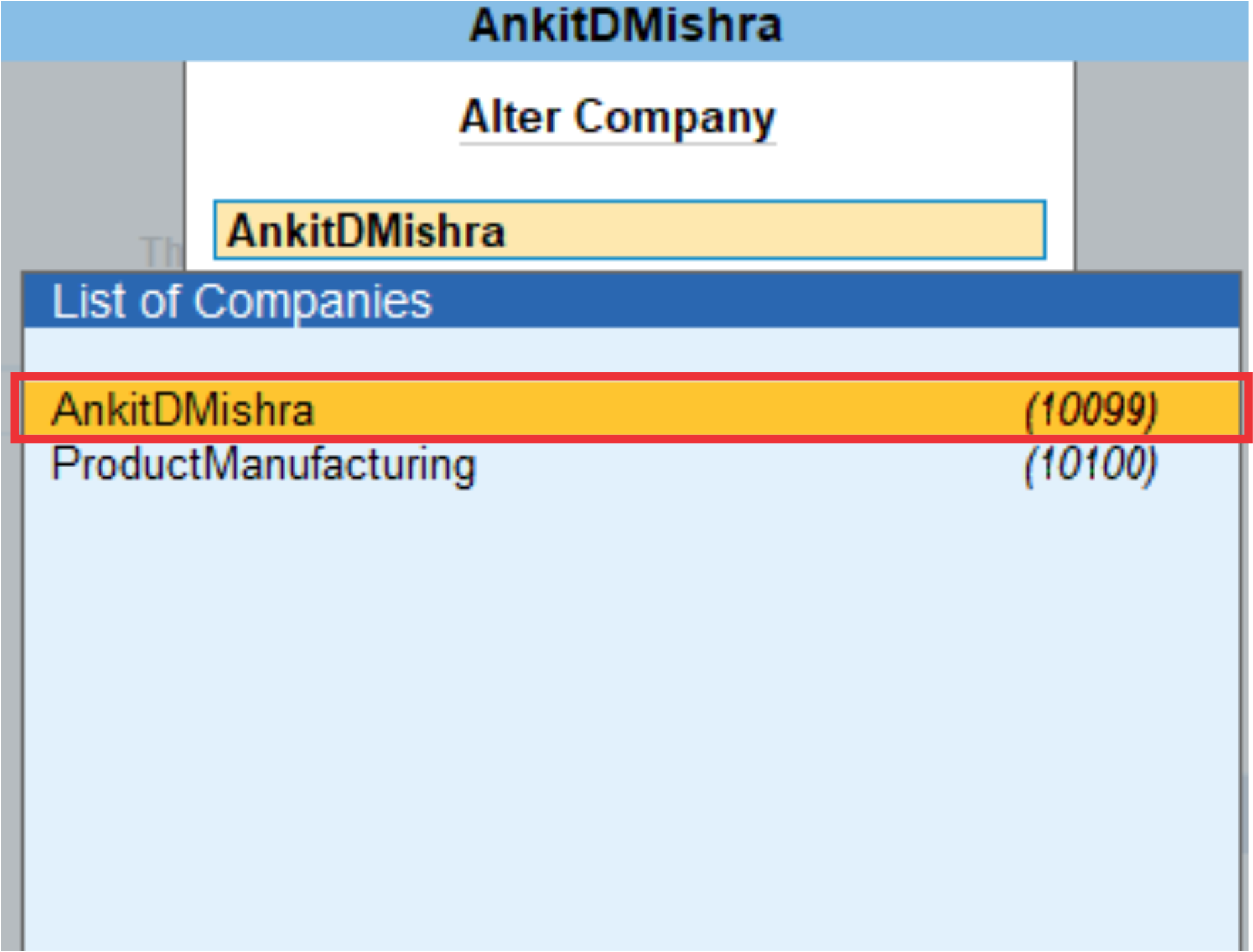
Step 3 Make your changes which you want do
Now, you can edit info which you want to make changes in your company, once done then this you can Press CTRL + A for quick creation.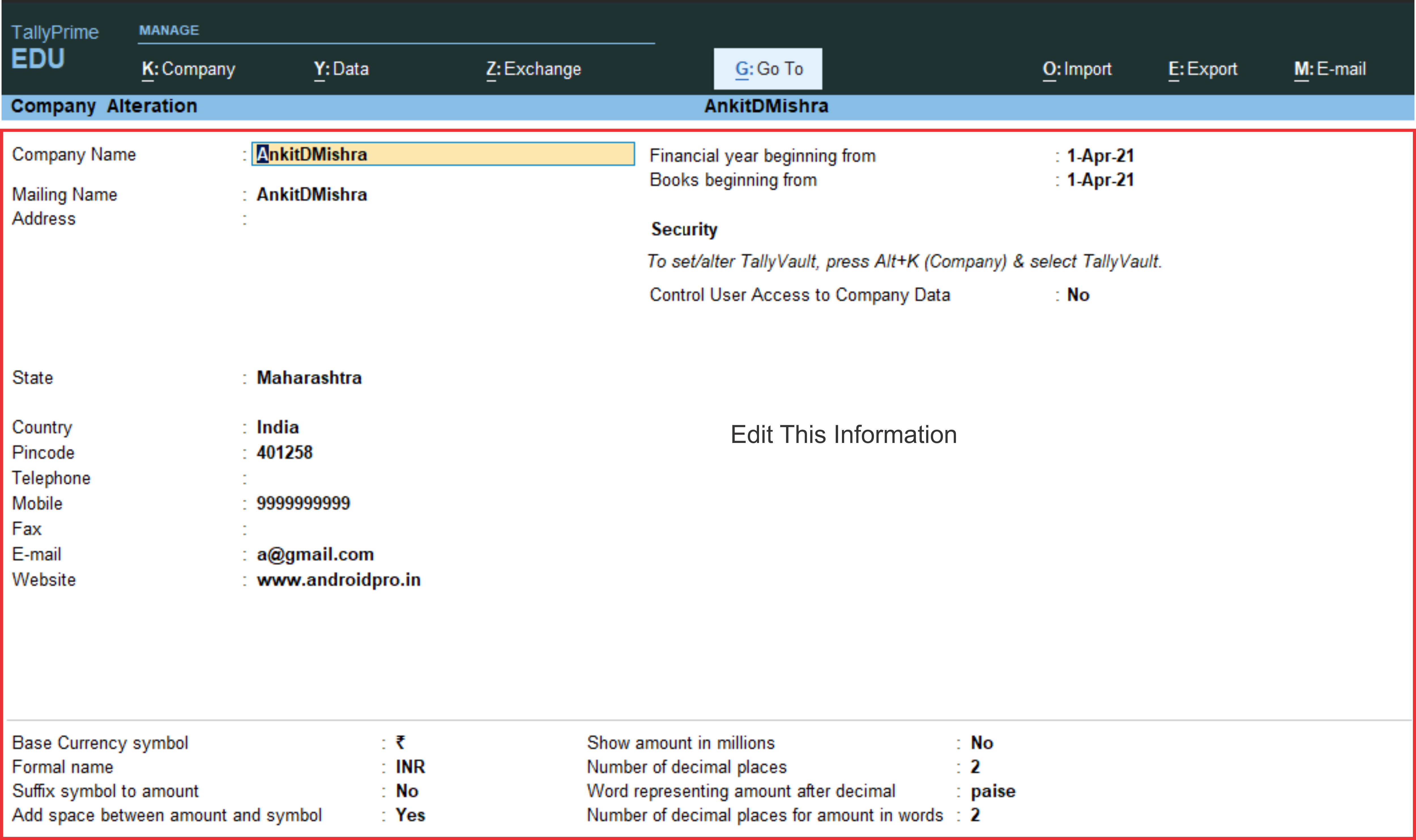
That's All, after it save your company.